
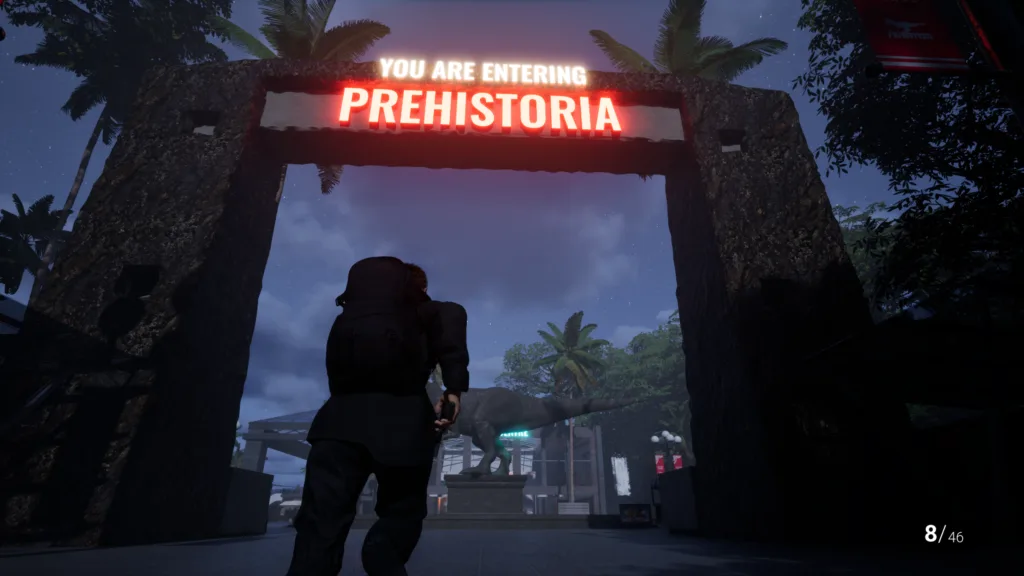
Where is the Museum key in the full release?
Two Flatrock Games developer replies place the current Museum key inside the Museum rather than at the old Staff Center landmark. One reply calls the location a desk; another describes an office. The useful shared answer is a secured office or desk area inside the building. Do not spend your full-release save searching the old Demo Staff Center route for this key. Exact room wording can differ between replies and patches, so this guide keeps the location at the level the developer evidence supports instead of inventing a floor number, map coordinate, or permanent spawn point.
Get the wrench before searching for the key
The same developer guidance says the wrench is required to reach the Museum key route. In release-day gameplay, the player first notices the Museum access that needs a wrench, then finds the tool around a nearby ranger or shelter route before returning. Search the currently open buildings and follow the live task markers rather than forcing a locked Museum door. Once the wrench is in your inventory, recheck upper access points and override interactions around the Museum. The video confirms this sequence for the recorded full-release build, but it does not justify a made-up compass direction or exact distance that the footage never establishes.
Use the Museum override and search the office
Release-day footage shows a code panel on the Museum route. In that recording, the player enters 2301, opens the secured area, and picks up the Museum key shortly afterward. Treat 2301 as a recorded full-release code, not a promise that every future patch or difficulty state uses it forever. If the panel rejects it, look for the current code note and follow the objective shown in your build. After the override opens, search desks and interaction prompts in the office area carefully. The key can be missed if you look only for a bright object in the middle of the room.
Use the key on the current Museum access
The key pickup and the door it opens are separate interactions. After collecting the Museum key, return to the access point named by the current task or marked by the locked-door prompt. The same release-day recording shows the player using Museum key access after the pickup. If the door does not respond, confirm that the inventory actually registered the key and that you are at the keyed access rather than the wrench override or code panel. In co-op, keep the group close to the player who completes the pickup until everyone sees the objective advance; otherwise a synchronization problem can look like another missing-item puzzle.
Why old guides send you to a restroom for a fossil
The restroom missing fossil, Staff Center Museum key, and highlighted fossil display belong to a documented Demo route. Demo community posts, an editorial walkthrough, and recorded Demo gameplay agree on that older chain: collect a fossil from a toilet or restroom building, bring it into the Museum, and place it at a highlighted display to open deeper access. That evidence explains older search results, but it is Demo-only guidance. Flatrock's official full-game update says the park layout and puzzles changed, even where familiar locations such as the Museum remained. Do not use the old fossil chain as the first answer for the August 2026 full release.
Check the build before trusting a Museum answer
A video can show a real solution and still be wrong for your build. First check whether it was recorded before or after the August 13, 2026 full release. Then compare the route with your live objective: current footage should show the wrench, override access, and an office-area key, while older Demo material talks about a restroom fossil and Staff Center. Developer corrections outrank old community lists. Current full-release footage is useful for physical confirmation, but even a correct release-day code can change in a patch. This page therefore states the evidence date and tells you what to recheck instead of calling a changed puzzle a broken save.
If the Museum key still is not there
Work through the route in order. Confirm that your task has reached the Museum. Confirm that you collected the wrench. Revisit upper access and override interactions. Read any code note in the current build before relying on 2301. Search office desks slowly enough for an interaction prompt, then verify that the key appears in your inventory or advances the task. If one step differs, stop following the older route and use the current objective. Restarting the session or declaring a missing spawn should come only after those checks. This sequence stays within what the developer replies and current gameplay can support; it does not pretend to diagnose every possible co-op, save, or patch bug.
Frequently asked questions
Where is the Museum key in the current Clawed game?
Developer replies place it inside the Museum in a secured office or desk area. You need the wrench to reach the route.
What is the Museum code in Clawed?
Release-day full-game footage shows 2301. Treat it as version-labelled evidence and use the current in-game note if a patch changes it.
Is the restroom missing fossil route still current?
No current full-release source checked here supports using it as the present route. It is Demo-only evidence kept to explain old search results.